







Current Configuration
(List below serves as quick links to each section)
Select Chassis
Select Processor
Bezel
Memory
Storage Controllers
SSD 2.5" Drives
SSD 2.5" NVMe Drives
E3.S EDSFF Drives
GPU
OCP 3.0
Boot Optimized Storage Subsystem (BOSS-N1):
Risers
Rail Kit
Trusted Platform Module
iDRAC9
Power Supply Units (PSU)
ECS Warranty
The request has been sent.
Thank you.
Price as Configured:
$0
Price as Configured:
$0
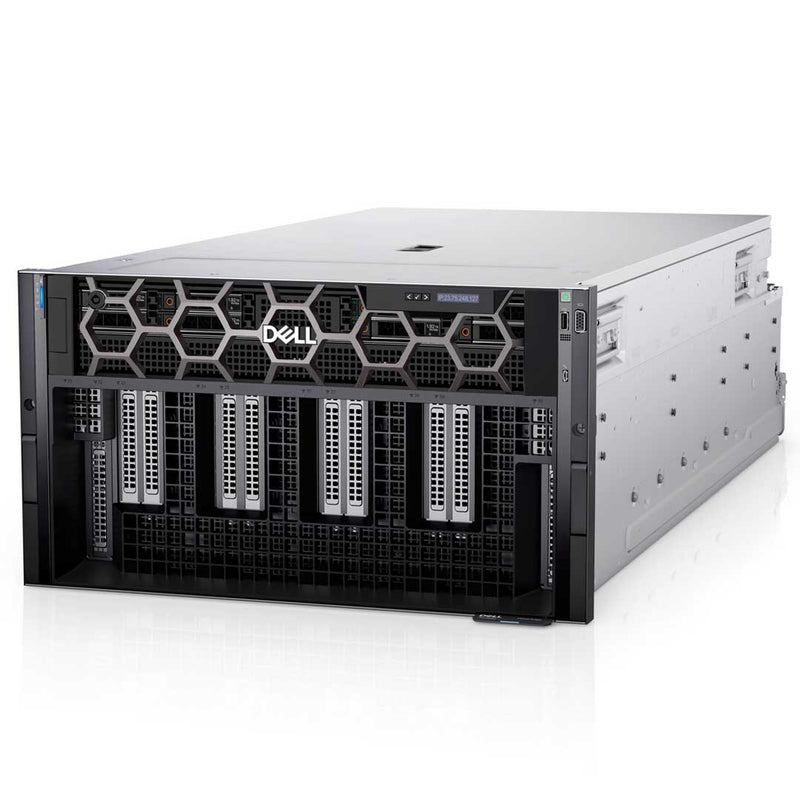
6U Rack Server
Processor | Max: 56 Cores (PP)2x 4th Gen Intel Xeon Scalable Processors
Memory | Max: 4TB32x DDR5 RDIMM 4800Mhz
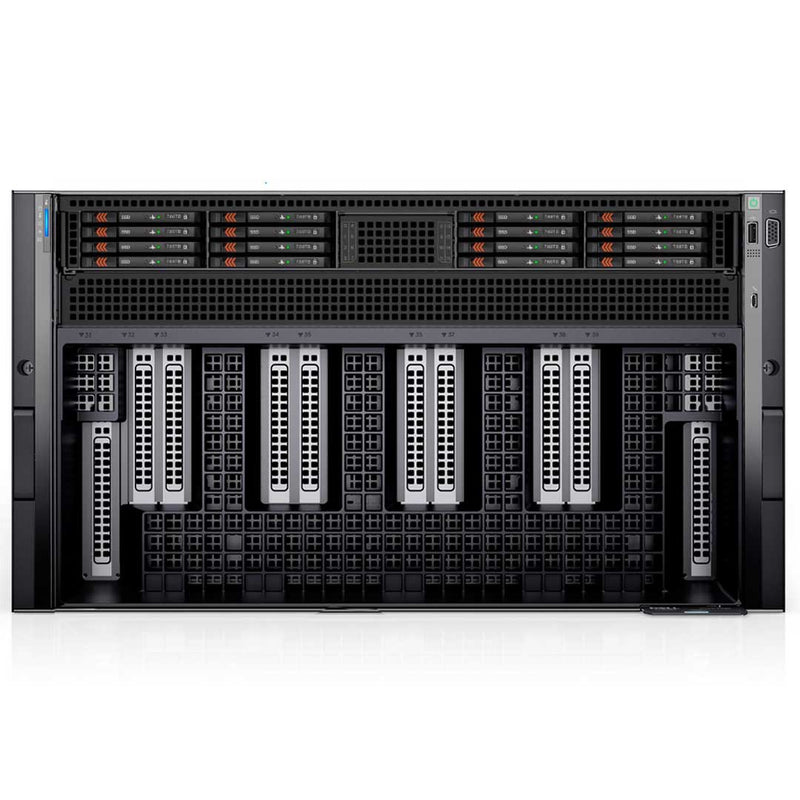
Storage | Max: 122.88TBUp to 8x 2.5" SAS/SATA/NVMe SSD
Up to 16x E3.S EDSFF NVMe
BOSS-N1
RAID Controller:S160 (SW RAID)
H965i
2 x 1GbE (optional)
1 x OCP 3.0 (x8 PCIe lanes)
iDRAC9
PCIe Slots:10 PCIe slots (x16 Gen5)
GPU:8 NVIDIA HGX H100 80GB 700W SXM5 GPUs
8 NVIDIA HGX A100 80GB 500W SXM4 GPUs, fully interconnected with NVIDIA NVLink technology
(Click to View)
- Artificial Intelligence (AI)
- Data Analytics
- Deep Learning (DL)
- High-Performance Computing (HPC)
- Language Model
- Machine Learning (ML)
- Virtualization
Dell's PowerEdge XE9680 delivers the industry’s best AI performance. Rapidly develop, train and deploy large machine learning models with this high-performance application server designed for HPC super computing clusters and the largest data sets for AI, used for large scale natural language processing, recommendation engines and neural network applications.

Deploy and enable AI business-wide and for all your AI initiatives with powerful features and capabilities, using the latest technology.
- Scale up your needs by supporting up to 32 DDR5 memory DIMM slots, up to 8 U.2 drives, and up to 10 front-facing PCIe Gen 5 expansion slots
- Deploy AI operations confidently with built-in platform security features, even before the server is built, including Secured Component Verification and Silicon Root of Trust
- Manage your AI operations efficiently and consistently with full iDRAC compliance and Open Management Enterprise (OME) support for all PowerEdge servers
Drive fastest-time-to-value and no-compromise AI acceleration with Intel CPUs NVIDIA GPUs and next-generation technology for memory, storage and expansion to achieve the highest performance.
- Break through boundaries with two 4th generation Intel® Xeon® processors and eight NVIDIA H100 GPUs interconnected with NVLink
- Flexibility to choose 8x H100 700W 80GB SXM5 GPUs for extreme performance or 8x A100 500W 80GB SXM4 GPUs for a balance of performance and power
- Operate air-cooled (up to 35°C) with improved energy efficiency from Dell Smart Cooling technology

Rapidly develop, train and deploy large machine learning models. Accelerate complex HPC applications and drive a wide range of complex processing needs. XE9640 delivers outstanding performance using Intel® CPUs and new Intel® Data Center Max Series GPUs.
- Deploy latest generation technologies including DDR5, NVLink, PCIe Gen 5.0, and NVMe SSDs to push the boundaries of data flow and computing possibilities.
- Up to 10 front-facing PCIe Gen 5 slots and up to 16 drives* enable optimal expansion for high-performance real-time AI operations.
- Supports NVIDIA GDS (GPUDirect® Storage), a direct data path for direct memory access (DMA) transfers between GPU memory and storage, increasing system bandwidth and decreasing latency and utilization load onthe CPU
- NVIDIA-Certified System capable to maximize operations with NVIDIA GPUs.
Turbocharge your application performance with Dell’s first 8-way GPU platform in the XE9680 6U server, designed to drive the latest cutting-edge AI, Machine Learning and Deep Learning Neural Network applications.
- Combined with high core count of up to 56 cores in the new generation of Intel Xeon processors and the most GPU memory and bandwidth available today to break through the bounds of today’s and tomorrow’s AI computing.
- Choose between 8 NVIDIA H100 700W SXM5 for extreme performance or 8 NVIDIA A100 500W SXM4 GPUs for a balance of performance and power, fully interconnected with NVIDIA NVLink technology.
- Improve training performance with up to 900GB/s bandwidth for GPU-GPU communication, 1.5x more than the previous generation.
- Host multi-tenant environments using virtualization options like NVIDIA Multi-Instance GPU (MIG) capability
The Chassis options are limited but powerful. If you plan to install any NVMe drives, you will need to install the PCIe Switch Board (PSB) under the drive cage. This PSB provides the necessary PCIe lanes and management for the NVME drives and other PCIe components.
- 16 x E3.S EDSFF direct from PCIe Switch Board (PSB) (x4 Gen5)
- 8 x U.2 SAS/SATA with fPERC H965i (PERC12)
- 8 x U.2 NVME direct from PCIe Switch Board (PSB)

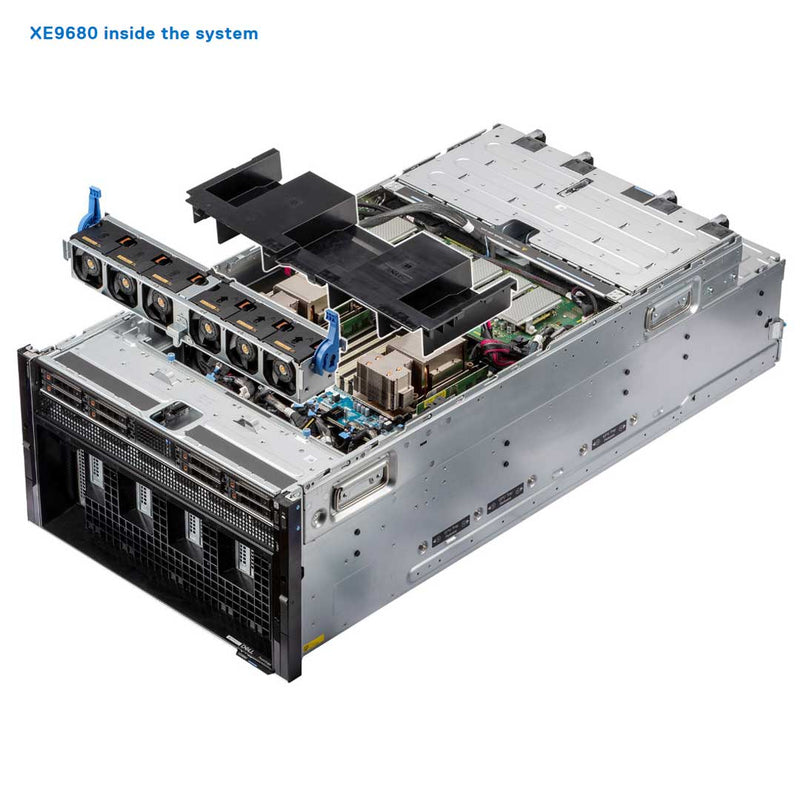
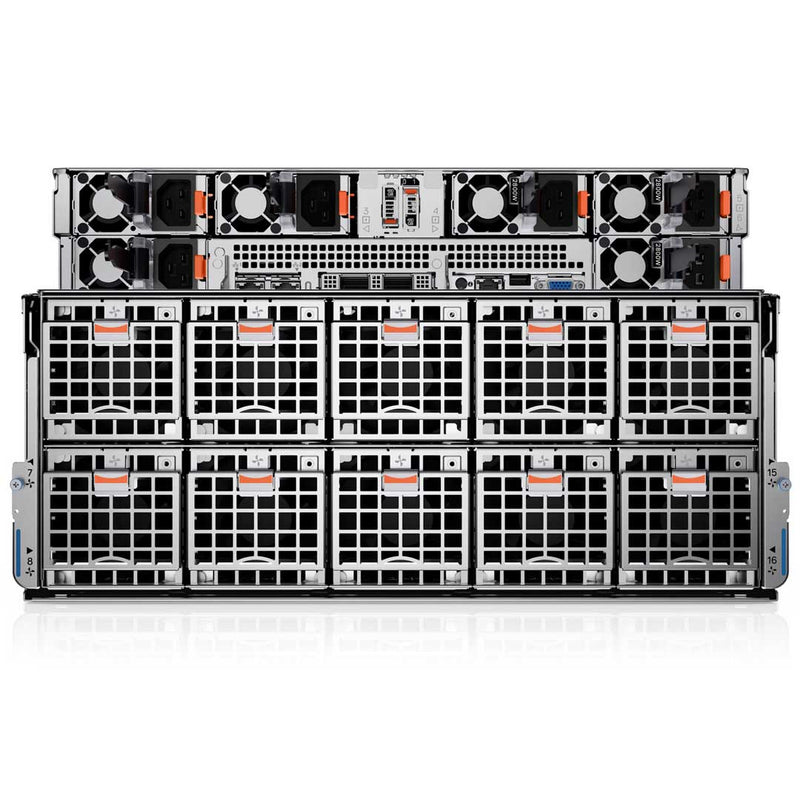
The Two Intel Gen4 processors have a High Performance (HPR) Heat Sink (HSK), Six HPR fans on the mid tray for the CPU and DIMMS. Also, Ten HPR GPU fans on the rear of the system that cools off the 8 GPU Heat sinks and the 4 (H100) or 6 (A100) NVLink Heat Sinks.
The GPU Tray has Heat Sinks for both the GPU and the NVLink module. These Heat Sinks are densely packed together and will need the power of all 10 High-performance fans. The High-Performance fans come in a Fan cage that must be removed before you can access the GPU Tray holding the Heat Sinks.

Maximum 16 DIMM slots per processor, eight channels with a total of 32 DDR5 RDIMMs on a two-socket configuration. With 32 DIMMs installed the system can have up to 4TB. Supports up to 4800 MT/s (1 DPC) / 4400 MT/s (2 DPC). Mixing of any different memory module capacities is not supported.
NOTE: NVIDIA recommends a minimum 1TB system memory for H100 (80GB) -8 GPU and A100 (80GB) - 8 GPU
| DIMM type | DIMM rank | DIMM capacity | Dual processors | |
|---|---|---|---|---|
| Minimum system capacity | Maximum system capacity | |||
| RDIMM | Dual rank | 32 GB | Not Supported | 1 TB |
| Dual rank | 64 GB | 1 TB | 2 TB | |
| Quad rank | 128 GB | 2 TB | 4 TB | |
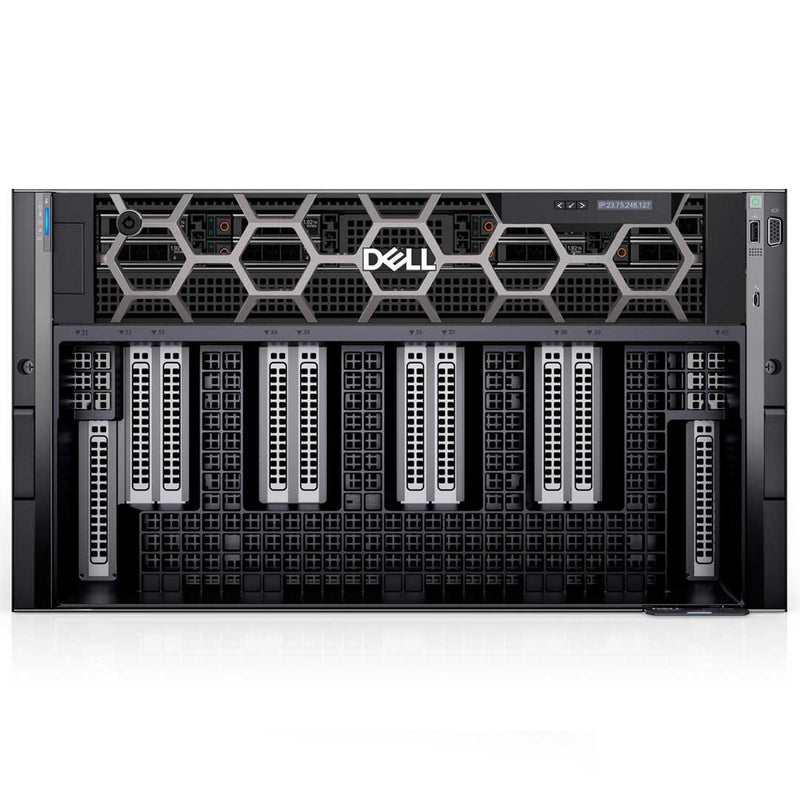
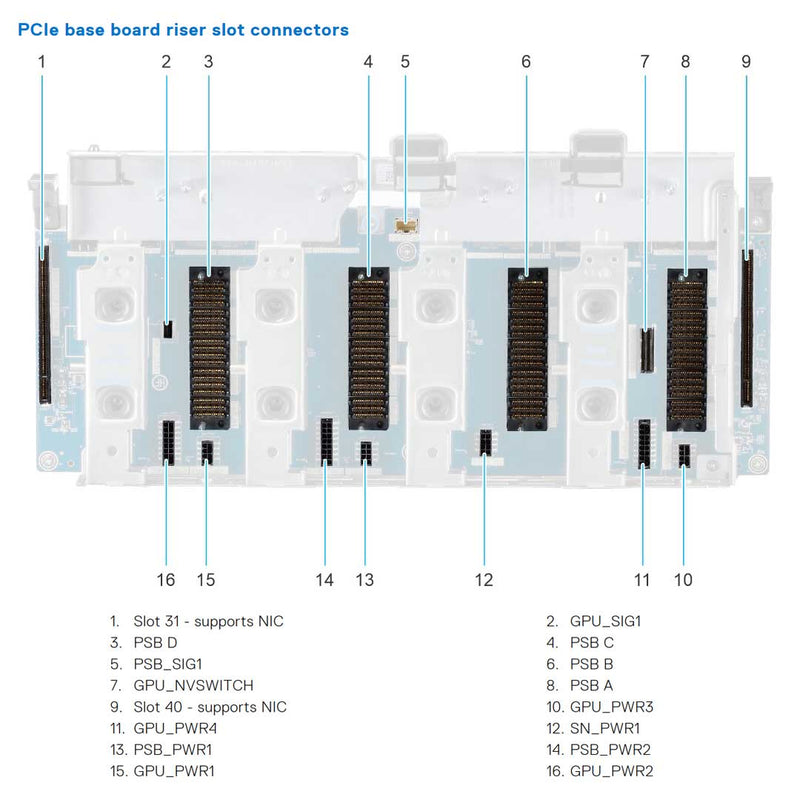
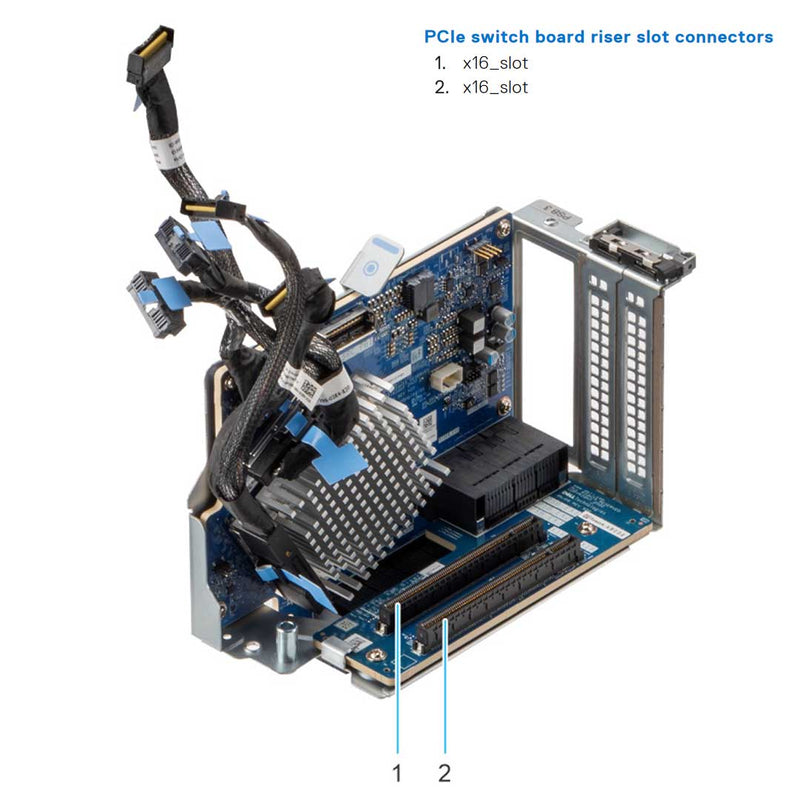
The XE9680 is a bit unique in the fact that PCIe slots are on the front of the server. The PCIe Base Board (PBB) is installed in the front and has 2 PCIe 5.0 x16 slots and 4 PCIe Switch Slots. The PCIe Riser module is installed in the PCIe Switch slots and supplies the system with 2 PCIe 5.0 x16 slots for each. The system can support 4 PCIe Riser Modules.
- 10 Gen5 PCIe slots total
- 8 x16 Gen5 (x16 PCIe) Full-height, Half-length
- 2 x16 Gen5 (x16 PCIe) Full-height, Half-length - Slots 31 and 40 supports NIC
| Expansion card riser | PCIe slot | Processor Connection | PCIe slot height | PCIe slot length | PCIe slot width |
|---|---|---|---|---|---|
| Default - used to install NIC | 31 | Processor 2 | Full height | Half length | x16 |
| Riser 4 (RS4) | 32 | Processor 2 | Full height | Half length | x16 |
| 33 | Processor 2 | Full height | Half length | x16 | |
| Riser 3 (RS3) | 34 | Processor 2 | Full height | Half length | x16 |
| 35 | Processor 2 | Full height | Half length | x16 | |
| Riser 2 (RS2) | 36 | Processor 1 | Full height | Half length | x16 |
| 37 | Processor 1 | Full height | Half length | x16 | |
| Riser 1 (RS1) | 38 | Processor 1 | Full height | Half length | x16 |
| 39 | Processor 1 | Full height | Half length | x16 | |
| Default - used to install NIC | 40 | Processor 1 | Full height | Half length | x16 |
The GPU section of this server is simple yet beefy. There are two types of GPUs supported at the moment and each of the GPUs has its own GPU Tray. Below, you will see images of both GPUS. The A100 and H100 GPU Trays. The GPUs are cooled down with 10 High-Performance GOLD Fans. The fans will need to be removed to gain access to the GPU tray that slides out.

The A100 GPU Tray has 6 removable Heat sinks that cool off the NVLink in the back of the tray. When looking at the tray, it's easy to see which heat sink is for the NVLink and which is for the GPUS. The NVLink heat sinks are taller and in the rear of the tray. The 8 other heat sinks for each GPU installed will be placed in the front of the GPU Tray. Cooling this many items in such a dense try is helped by the 3 Air Baffles placed in between the GPUS medium-down--one-whole-NGs.
8x NVIDIA HGX H100 80GB 700W SXM5 GPUs

Each H100 GPU heat sink has a plastic cover that must be removed before accessing the heat sinks. The H100 GPU Tray has placed the heat sinks on the opposite side as the A100 Tray. These will be closer to the fans and will never be removed. The Tray comes with these Heat sinks preinstalled. One more unique thing about this tray is the installation of the HGX Management Controller to maintain the efficiency of these GPUs while running.
The Dell PowerEdge XE9680 has Dual-Port 1GbE Broadcom 5720 LAN controller and an OCP 3.0 slot which supports a Quad ports card with port speeds up to 25GbE. By default the system comes with 2 dedicated PCIe slots for NIC cards. Slot 31 and 40 on the front of the system should be used for the extra networking cards if needed. The plus side to these is there is no riser card needed to access these PCIe slots.
| Feature | Specifications |
|---|---|
| LOM card | 1 GbE x 2 |
| Open Compute Project (OCP 3.0) Card | Intel 25 GbE x 4, Intel 25 GbE x 2, Intel 10 GbE x 4, Broadcom 25 GbE x 4, Broadcom 10 GbE x 4, Broadcom 25 GbE x 2 |
The EDSFF and the NVMe Chassis are directly connected with ports from the PCIe Switch Boards (PSB). The 8x 2.5” SAS/SATA Chassis does have an option for a fPERC H965i to be installed for RAID and SAS support. The Drive Cage can slide out on a rail to provide easy access to the back of the drives. This also allows you to remove the PSB cover to gain access to the PSB Cards and PCIe slots.
- fPERC12 (x8, SAS4)
- fPERC12 (x8, SATA)

| Supported storage controller cards |
|---|
| Internal controllers PERC H965i Only supported on the 8 x 2.5" SAS/SATA |
| Software RAID S160 NVMe |
The BOSS Cage is installed before the Power Supply Cage is installed on top of it. This BOSS Cage has slots for the LOM and OCP Ports to be accessible from the rear. This Cage sits on top of the main System Board and holds a BOSS-N1 Module which supports 2 M.2 NVMe Drives. This is the recommended way to Boot the system so you don't have to allocate a drive for this action.

Six Titanium 2800 W AC with 5+1 PSU redundancy or 3+3 FTR redundancy. On the back of the PSU Cage is the Power Distribution Board. This PSU Cage sits on top of the BOSS cage, for more information please read the manuals below.

Dimensions & Weight:
- Width: 482.0 mm (18.97 inches)
- Height: 263.2 mm (10.36 inches)
- Length: 1008.77 mm (39.71 inches) with bezel
- Length: 995 mm (39.17 inches) without bezel
- Weight:
XE9680 system with 8 SFF- Fully populated with H100 107 kg (235.89 pounds)
- Fully populated with A100 105 kg (231.48 pounds)
- Fully populated with H100 107.75 kg (237.55 pounds)
- Fully populated with A100 106 kg (233.69 pounds)
Current Configuration
(List below serves as quick links to each section)
Select Chassis
Select Processor
Bezel
Memory
Storage Controllers
SSD 2.5" Drives
SSD 2.5" NVMe Drives
E3.S EDSFF Drives
GPU
OCP 3.0
Boot Optimized Storage Subsystem (BOSS-N1):
Risers
Rail Kit
Trusted Platform Module
iDRAC9
Power Supply Units (PSU)
ECS Warranty
The request has been sent.
Thank you.
Price as Configured:
$0
Base Standard Capabilities
| Feature | Technical Specifications** (NOTE: ** indicates Additional features Coming Soon.) | |
|---|---|---|
| Processor | Two 4th Generation Intel Xeon Scalable processors with up to 56 cores per processor | |
| Memory | • 32 DDR5 DIMM slots, supports RDIMM 4 TB max, speeds up to 4800 MT/s • Supports registered ECC DDR5 DIMMs only | |
| GPU | • 8 NVIDIA HGX H100 80GB 700W SXM5 GPUs or • 8 NVIDIA HGX A100 80GB 500W SXM4 GPUs, fully interconnected with NVIDIA NVLink technology | |
| Storage controllers | • Internal boot: Boot Optimized Storage Subsystem (NVMe BOSS-N1): HWRAID 1, 2 x M.2 SSDs • Software RAID: S160 | |
| Drive bays | Front Bays • Up to 8 x 2.5-inch NVMe SSD drives max 122.88 TB | |
| Power Supplies | 2800W Titanium 200-240 VAC or 240 VDC, hot swap redundant | |
| Cooling Options | Air cooling | |
| Chipset | Intel® C741 chipset | |
| PCIe | Up to 10 x16 Gen5 (x16 PCIe) full-height, half-length | |
| Embedded NIC | 2 x 1 GbE | |
| Network Options | 1 x OCP 3.0 (x8 PCIe lanes) | |
| Fans | • Up to 6 High performance (HPR) gold grade fans installed in mid tray • Up to 10 High performance (HPR) gold grade fans installed on the rear of the system • All are hot swap fans | |
| Dimensions and weight | • Height — 263.2 mm (10.36 inches) • Width — 482.0 mm (18.97 inches) • Depth — 1008.77 mm (39.71 inches) with bezel — 995 mm (39.17 inches) without bezel • Weight —107 kg (235.89 pounds) | |
| Form Factor | 6U rack server | |
| Embedded Management | • iDRAC9 • iDRAC Direct • iDRAC RESTful API with Redfish • iDRAC Service Module | |
| Bezel | Optional LCD bezel or security bezel | |
| OpenManage Software | • CloudIQ for PowerEdge plug in • OpenManage Enterprise • OpenManage Enterprise Integration for VMware vCenter • OpenManage Integration for Microsoft System Center | • OpenManage Integration with Windows Admin Center • OpenManage Power Manager plugin • OpenManage Service plugin • OpenManage Update Manager plugin |
| OpenManage Integrations | • BMC Truesight • Microsoft System Center • OpenManage Integration with ServiceNow | • Red Hat Ansible Modules • Terraform Providers • VMware vCenter and vRealize Operations Manager |
| Security | • Cryptographically signed firmware • Data at Rest Encryption (SEDs with local or external key mgmt) • Secure Boot • Secured Component Verification (Hardware integrity check) | • Secure Erase • Silicon Root of Trust • System Lockdown (requires iDRAC9 Enterprise or Datacenter) • TPM 2.0 FIPS, CC-TCG certified, TPM 2.0 China NationZ |
| Ports | Front ports • 1 x iDRAC Direct (Micro-AB USB) port • 1 x USB 2.0 • 1 x VGA | Rear ports • 1 x USB 2.0 • 1 x USB 3.0 • 1 x VGA • 1 x RJ45 iDRAC9 ethernet port |
| Operating Systems and Hypervisors | • Canonical Ubuntu Server LTS • Red Hat Enterprise Linux | |