


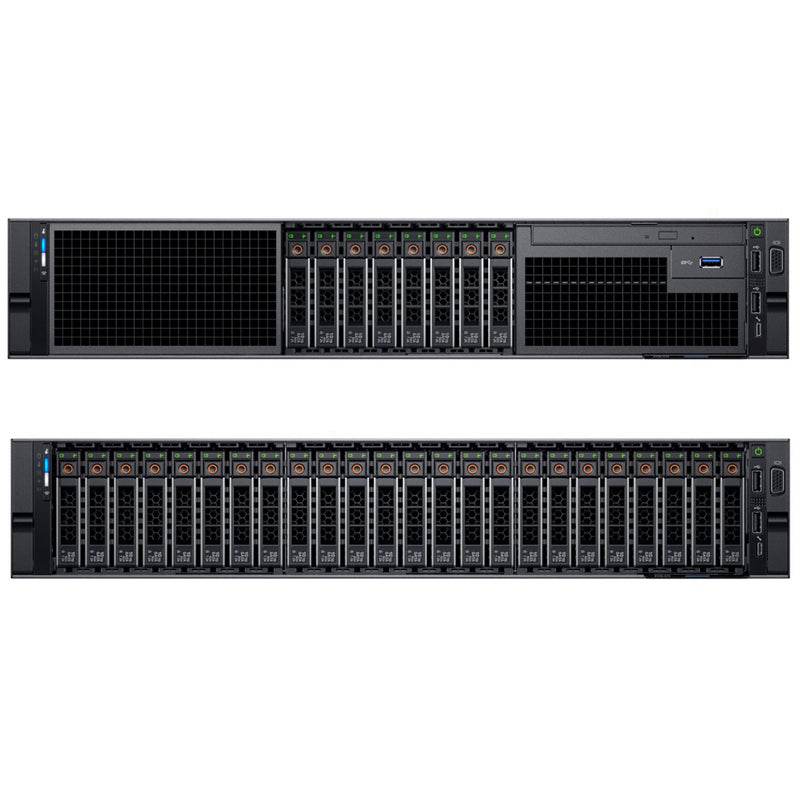


Current Configuration
(List below serves as quick links to each section)
Server Chassis
Processors
Dual 2.5" Rear Drive Cage
Bezel
Memory (Intel 1st Gen CPU)
Memory (Intel 2nd Gen CPU)
HDD (2.5") Drives
SSD (2.5") Drives
SSD U.2 NVMe Drives
Riser Configurations
Accelerator Cards
Network Daughter Card (rNDC) LOM
Optical Drive
RAID Controllers
BOSS
Internal Dual SD Module (IDSDM)
Rail Kits
Trusted Platform Module
iDRAC9 Remote Options
Power Supplies
ECS Warranty
The request has been sent.
Thank you.
Price as Configured:
$0
Price as Configured:
$0
2U rack server
Processor | Max: 28 CoreUp to 4x Intel Xeon Scalable
Memory | Max: 6TBUp to 48 DDR4 RDIMM/LRDIMM 2933Mhz
Up to 24 PMems Max: 12.28TB
Up to 12 NVDIMMs Max: 384GB
Supports registered ECC DDR4 DIMMs only.
Up to 8x 2.5” SAS/SATA Max: 61.44TB
Up to 24x 2.5" SAS/SATA/NVMe Max: N/A
Up to 24x 2.5" NVMe Max: 153TB
Up to 2 x 2.5” SAS/SATA (HDDs/SSDs)
Boot Options:BOSS
IDSDM
USB
Up to 6 Gen: 3.0
4x16 slots
2x16 + 4x8 slots
iDRAC9 with Lifecycle Controller
LOM:Broadcom® 5720 4x1Gb Base-T
RAID controllers (PERC 9) | Max: 2S140 (SW SATA, NVMe)
PERC H330, H330P, H350, H730, H730P, H740P, H750, H840, HBA330, HBA355e, 12Gbps SAS HBA
2 double-width GPUs or up to 2 FPGAs
(Click to View)
- Database
- High-Performance Computing (HPC)
- Retail Servers
- Virtualization
The Dell PowerEdge R840 offers three backplane options across configurable bay counts, supporting either an 8-bay or 24-bay setup. The 24-bay configuration provides a choice between a Universal SAS/SATA/NVMe backplane with a SAS/SATA expander, or a dedicated NVMe backplane supporting 24 NVMe drives. Supported configurations are detailed below.
- Up to 24x 2.5" SAS/SATA
- Up to 24x 2.5" SAS/SATA + 2x 2.5" Rear Drives SAS/SATA
- Up to 12x 2.5" SAS/SATA + 12 SAS/SATA/NVMe
- Up to 8x 2.5" SAS/SATA/NVMe + 16 NVMe
- Up to 24x 2.5" NVMe
- Up to 8x 2.5" SAS/SATA
- Up to 8x 2.5" SATA
- For more information please view the "Supported drive options" in the Installation Manual below.

Heat sinks help absorb processor-generated heat to maintain optimal operating temperatures, with selection here tied directly to GPU presence — GPU builds require the low-profile 1U heat sink, while non-GPU configurations use the standard 2U heat sink on the Dell PowerEdge R840.

Fans
The cooling fan assembly circulates adequate airflow across the server's processors, drives, and memory to maintain proper temperatures. Six hot-swap fans ship standard, housed in a fan cage that mounts to the system board, with high-performance fans required whenever a GPU is installed.

Registered DIMMs deliver higher-capacity options along with advanced RAS features, making them the most widely used DIMM type with a strong mix of frequency, capacity, and rank structure choices.
Load-Reduced DIMMs extend memory capacity beyond RDIMM limits, though at higher power draw, using a buffer to reduce loading to a single load on all DDR signals for greater density.
PMems | Max: 12.28TB
DCPMM
(Intel Optane DC persistent memory):
(15.36TB max with PMem and LRDIMM)
DCPMM delivers large memory capacity at an affordable price, supporting Memory Mode on any compatible OS while App Direct Mode unlocks added performance and persistence for supported applications. It pairs with RDIMMs or LRDIMMs, up to 6 modules per CPU, and requires no battery. PMem is supported only with 1600W and 2400W PSU configurations, and does not support GPU or NVMe drive configurations.
NVDIMMs | Max: 384GB
Non-Volatile DIMMs combine NAND and DRAM to deliver a persistent memory solution that retains data through power loss, system crashes, or normal shutdowns, requiring a battery to manage AC loss conditions, and can be paired with RDIMMs.
Please view the "Expansion card installation guidelines" on the Tech Manual below to know what slots support each card.
| Performance level | Controller and description |
|---|---|
| Entry | S140 (SATA, NVMe) SW RAID SATA |
| Value | HBA330 (Internal), HBA350i,12Gbps SAS HBA (External) Memory: None x8 12 Gb SAS x8 PCIe 3.0, H330, 12Gbps SAS HBA (External), HBA350, HBA355e (External) Memory: None x8 12 Gb SAS x8 PCIe 3.0 |
| Value performance | H730P, Memory: 2 GB, NV 72-bit, 866 MHz, x8 12 Gb SAS, x8 PCIe 3.0, H750 |
| Premium performance | H740P, Memory: 4/8 GB, NV 72-bit |

BOSS gives PowerEdge systems a way to boot to a full operating system, applicable when:
- Target operating system is a full operating system and not hypervisor that may be supported best by IDSDM
- You do not want to trade off standard hot plug drive slots for operating system install
Feature-wise, the BOSS card's RAID controller keeps things minimal, presenting M.2 SATA SSDs as either a non-RAID volume or a single RAID volume.
IDSDM

On the PowerEdge R840, the optional Internal Dual SD Module (IDSDM) or vFlash module comes into play — and in this generation, the two are combined into a single card, available in the following configurations:
- vFlash or
- vFlash and IDSDM
- Installed in Riser 1 x8
Tucked into a slot at the rear of the system, the IDSDM or vFlash module holds three microSD cards total — two for IDSDM and one for vFlash, with one IDSDM slot set aside for redundancy.
Internal USB
A USB memory key can optionally be installed inside the system, functioning as a boot device, security key, or mass storage option — to boot from it, load a boot image onto the key and set it in the boot sequence within System Setup.
Riser configurations on the Dell PowerEdge R840 come in 4 varieties, with Riser 1 x8 standing out for its extra IDSDM slot — the only spot on the system where the IDSDM can be installed.
- Riser 1 x8 has 2x 8xPCIe 3.0
- Riser 1 x16 has 1x 16xPCIe 3.0
- Riser 2 x8 has 2x 8xPCIe 3.0
- Riser 2 x16 has 1x 16xPCIe 3.0
| PCIe slot | Riser | Processor Connection | Height | Length | Slot Width |
|---|---|---|---|---|---|
| 1 | X8 PCIe Riser 1 | Processor 1 | Full height | Half length | x8 |
| 2 | X16 PCIe Riser 1 | Processor 1 | Full height | Full length | x16 |
| X8 PCIe Riser 1 | Processor 1 | Full height | Half length | x8 | |
| 3 | Located on the system board | Processor 1 | Low Profile | Half length | x16 |
| 4 | Located on the system board | Processor 2 | Low Profile | Half length | x16 |
| 5 | X8 PCIe Riser 2 | Processor 2 | Full height | Half length | x8 |
| 6 | X16 PCIe Riser 2 | Processor 2 | Full height | Full length | x16 |
| X8 PCIe Riser 1 | Processor 1 | Full height | Half length | x8 |
 Riser 1 - 2 PCIe x8
 Riser 1 - 1 PCIe x16
 Riser 2 - 2 PCIe x8
 Riser 2 - 1 PCIe x16
GPU support on the Dell PowerEdge R840 tops out at 2x 300W double-wide GPUs or 2x FPGAs, requiring x16 risers — installing x8 risers rules out GPU support entirely. Given the number of rules around GPU installation, be sure to review them below.
- Only Supported in x16 Risers Slot 2 or Slot 6
- The processor must use the GPU kit low-profile heat sink
- If the GPU card is installed, you cannot install the 10 GbE NDC.
- High-performance fans and GPU air shroud must be installed
- LRDIMM 256 GB does not support GPU configuration
- PMem does not support GPU configurations
- All GPUs must be of the same type and model
- PSUs must be 1100 W or higher and set the PSU configuration to non-redundant mode

- 750 W AC PSU
- 1100 W AC PSU
- 1100 W DC PSU
- 1600 W AC PSU
- 1600 W HLAC PSU
- 2000 W AC PSU
- 2400 W AC PSU
- 2600 W HLAC PSU
- Depth: 879 mm (34.58")
- Width: 482 mm (18.97")
- Height: 86.8 mm (3.41")
- Weight: 36.6 kg (80.68 lb)
Current Configuration
(List below serves as quick links to each section)
Server Chassis
Processors
Dual 2.5" Rear Drive Cage
Bezel
Memory (Intel 1st Gen CPU)
Memory (Intel 2nd Gen CPU)
HDD (2.5") Drives
SSD (2.5") Drives
SSD U.2 NVMe Drives
Riser Configurations
Accelerator Cards
Network Daughter Card (rNDC) LOM
Optical Drive
RAID Controllers
BOSS
Internal Dual SD Module (IDSDM)
Rail Kits
Trusted Platform Module
iDRAC9 Remote Options
Power Supplies
ECS Warranty
The request has been sent.
Thank you.
Price as Configured:
$0
Base Standard Capabilities
| Features | Technical specification | |
|---|---|---|
| Processor | Up to four 2nd Generation Intel® Xeon® Scalable processors, up to 28 cores each | |
| Memory | 48 DDR4 DIMM slots, Supports RDIMM /LRDIMM, up to 2933MT/s, 6TB max Up to 12 NVDIMM, 384GB Max Up to 24 Intel® Optane™ DC persistent memory PMem, max 12.28TB, (15.36TB max with PMem and LRDIMM) Supports registered ECC DDR4 DIMMs only | |
| Storage controllers | Internal Controllers: PERC H330, H730P, H740P, HBA330 External Controllers: H840, 12 Gbps SAS HBA Software RAID:S140 Boot Optimized Storage Subsystem (BOSS):HWRAID 2 x M.2 SSDs 240GB, 480GB Internal Dual SD Module | |
| Drive bays | Front bays:
| |
| Power supplies | Gold:1100W - 48VDC Platinum: 750W, 1100W, 1100W 240VDC, 1600W, 2000W, 2400W Titanium: 750W Hot plug power supplies with full redundancy option 6 fans with N +1 redundancy | |
| Dimensions | Form factor: Rack (2U) Height: 86.8mm (3.4”) Width*: 434.0mm (17.08”) Depth*: 835.9mm (32.9”) Weight: 36.6kg (80.7lbs.) *Dimensions do not include bezel, brackets or PSU handles | |
| Embedded management | iDRAC9, iDRAC Direct, Quick Sync 2 BLE/wireless | |
| Bezel | Optional LCD bezel or security bezel | |
| OpenManage Software | OpenManage Enterprise, OpenManage Power Center, OpenManage Mobile | |
| Integrations and connections | Integrations: Microsoft System Center VMware vCenter BMC Software Red Hat Ansible Modules | Connections: IBM Tivoli® Netcool/OMNIbus Micro Focus Operations Manager i (OMi) Nagios® Core Nagios® XI |
| Tools | Dell EMC Repository Manager Dell EMC Update Package Dell EMC System Update Dell EMC Server Update Utility iDRAC Service Module iDRAC RESTful API with Redfish OpenManage Server Administrator OpenManage Storage Services | |
| Security | TPM 1.2/2.0 optional Cryptographically signed firmware Secure Root of Trust Secure Boot Secure Erase System Lockdown (requires iDRAC Enterprise or Datacenter) | |
| I/O & Ports | Network daughter card options:
| Rear Ports:
|
| Accelerator Options | Up to 2 doublewidth GPUs or up to 2 full-height FPGAs ***GPUs/FPGAs not available with the 2 x 2.5” rear drive bay. | |
| Supported operating systems | Canonical® Ubuntu® LTS Citrix® Hypervisor Microsoft Windows Server® LTSC with Hyper-V Oracle® Linux Red Hat® Enterprise Linux SUSE® Linux Enterprise Server VMware® ESXi | |
Spec Sheet 4
| Feature | PowerEdge R840 | PowerEdge R830 |
|---|---|---|
| Processor | 4x 2nd Generation Intel Xeon Processor Scalable Family Gold & Platinum | 4x Intel Xeon E5-4600 v4 |
| CPU interconnect | Intel Ultra Path Interconnect (UPI) | Intel QuickPath Interconnect (QPI) |
| Memory | 48 x DDR4 DIMM slots (only up to 12
NVDIMM or 24 DCPMM slots)
● RDIMM 3 TB ● LRDIMM 6 TB ● NVDIMM 384 GB ● DCPMM 12.28 TB (15.36 TB with LRDIMM) |
48x DDR4 RDIMM, LRDIMM |
| Disk Drives | 2.5 inches - 12 Gb SAS, 6 Gb SATA | 2.5 inches - 12 Gb SAS, 6 Gb SATA |
| Storage Controllers | Adapters: HBA330, H330, H350, H730P,
H740P, H750, 12G SAS HBA, HBA350i,
H840(ext), HBA355e (ext), SW RAID: S140 |
Adapters: HBA330, H330, H730, H730P, H830 (ext) |
| PCIe SSD | Up to 24x direct-attached PCIe SSD | N/A |
| PCIe Slots | Max 6 PCIe 3.0 on R840 | Max 7 PCIe 3.0 |
| rNDC | 4x 1 GB, 4x 10 GB, 2x 10 GB+2x 1 GB, or 2x 25 GB | 4x 1 GB, 4x 10 GB, or 2x 10 GB+2x 1 GB |
| USB Ports | Front: 2 ports (USB 2.0), 1 managed
(micro-USB) Rear: 2 ports (USB 3.0)
Internal: 1 port (USB 3.0) Optional: 1 Front port (USB 3.0) - available only on X8 backplane configuration |
1 PCH (USB2.0), 1 Managed, 1 Internal (USB3.0), 2 Rear (USB3.0, USB2.0) |
| Rack Height | 2U | 2U |
| Power Supplies | ● AC (Platinum): 750 W, 1100 W, 1600
W, 2000 W, 2400 W
● Mix Mode: 750 W PSU (DC input for China only) ● AC (Titanum): 750 W, 1600 W, 2600 W ● DC: 1100 W ● Mix Mode/HVDC: 750 W (for China only), 1100 W |
AC: 750 W, 1100 W, 1600 W DC: 1100 W |
| System Management | Lifecyle Controller 3.x, OpenManage, QuickSync 2.0, OMPC3, Digital License Key, iDRAC Direct (dedicated micro-USB port), Easy Restore, vFlash | Lifecycle Controller 3.x, OpenManage, QuickSync 1.0, PM3, Digital License Key, iDRAC, iDRAC Direct(dedicated microUSB port), Easy Restore, vFlash |
| Availability | Hot-plug Redundant Cooling
Hot-plug Drives Hot-plug Redundant Power Supplies Boot Optimized Storage Subsystem (BOSS) IDSDM |
Hot-plug Drives Hot-plug Redundant Cooling Hot-plug Redundant Power Supplies IDSDM |