






HPE





Dell









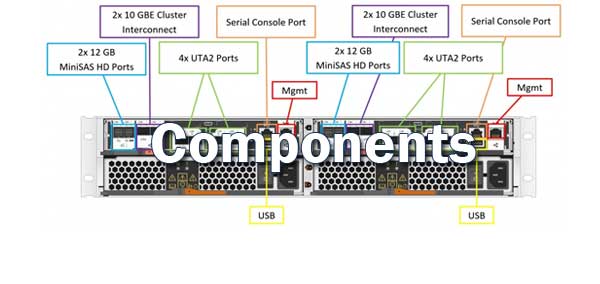


EqualLogic


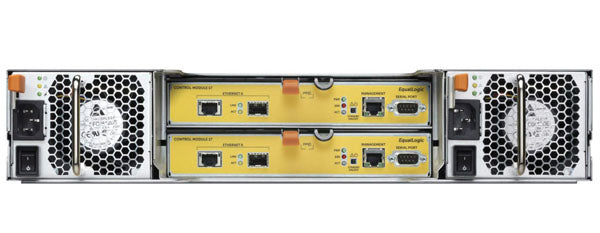

- All EqualLogic PS Series
- EqualLogic PS6610 Series
- EqualLogic PS6510 Series
- EqualLogic PS6500 Series
- EqualLogic PS6210 Series
- EqualLogic PS6110 Series
- EqualLogic PS6100 Series
- EqualLogic PS6010 Series
- EqualLogic PS6000 Series
- EqualLogic PS5000/PS5500 Series
- EqualLogic PS4210 Series
- EqualLogic PS-M4110 Series
- EqualLogic PS4110 Series
- EqualLogic PS4100 Series
- EqualLogic PS4000 Series
- EqualLogic PS3000 Series


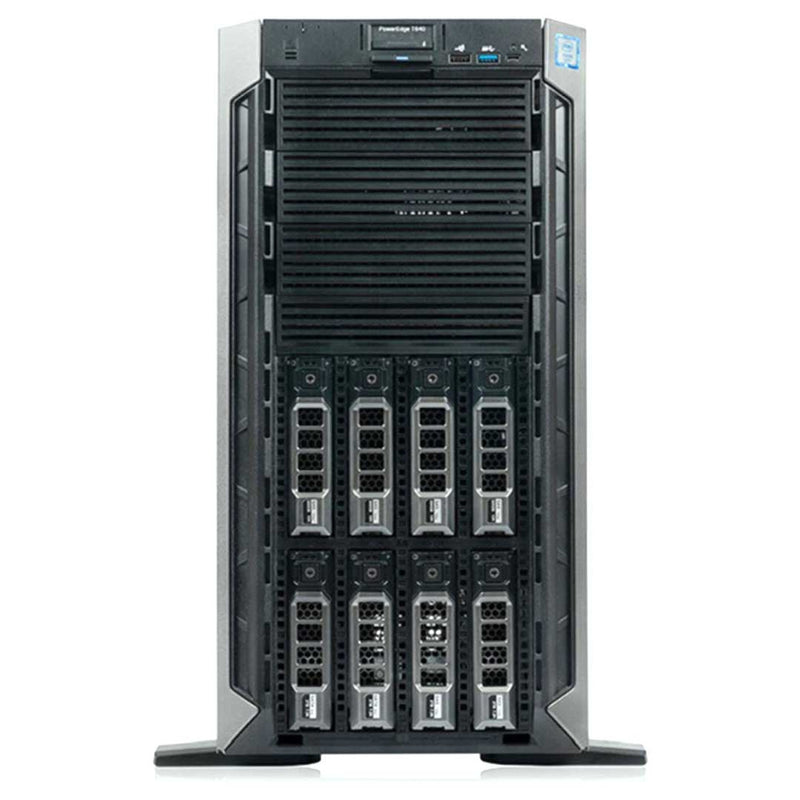


Current Configuration
(List below serves as quick links to each section)
Server Chassis
Processors
Flex Bay
Bezel
Memory 1st Gen Intel
Memory 2nd Gen Intel
HDD 3.5" Drives
HDD 2.5" Drives
SSD 2.5" Drives
SSF NVMe Drives
GPU
RAID Controller
Boot Optimized Storage Subsystem (BOSS):
Internal Dual SD Module (IDSDM)
Optical drive
Rail Kit
Trusted Platform Module (TPM)
iDRAC9
Power Supplies
ECS Warranty
Quick Specs
Form Factor:
Tower server | 5U (Rack conversion kit)
Processor | Max: 28 Cores (PP)2x Gen 2 Intel Scalable Processors
Memory | Max: 3TB24 DDR4 RDIMM/LRDIMM 2933Mhz
Up to 12 NVDIMM | Max : 192GB
Storage | Max: 228TB8 or 18x 3.5” SAS/SATA (HDD/SSD) | Max : 288TB
16x 2.5” SAS/SATA (HDD/SSD) | Max : 61TB
32x 2.5” SAS/SATA (HDD/SSD) | Max : 122TB
16x 2.5” with up to 8 NVMe, SAS/SATA /NVMe (HDD/SSD) | Max : 112TB
Boot Optimized Server Storage (BOSS)
IDSDM
Internal USB
S140 (SW RAID)
PERC H330, H730P, H740P, H840, HBA330, 12Gbps SAS HBA (non-RAID)
2 x 10GbE LOM (1GbE/10GbE)
Remote Management:iDRAC9
PCIe Slots:Up to 8 PCIe Gen3 slots
GPU:(Rack Mode Only) 4x 300W (DW) passive or 8x 150W (SW)
Other Versions
(Click to View)
Ideal for:
- Virtual Desktop Interface (VDI)
- Virtualization
The PowerEdge T640 delivers ultimate two-socket performance and massive internal storage capacity in a rack or tower platform. The scalable T640 drives a wide range of workloads for mid-sized offices, remote sites and data centers.ity.
PowerEdge T640
- Accelerate and consolidate data-intensive workloads in a 5U rack-capable tower platform.
- Scale effortlessly with maximum internal capacity and optimized performance.
- Mix and match NVMe, HDD and SSD drives to create your ideal configuration.
Drive Configurations:
- 8 Bay - Up to 8x3.5" SAS/SATA/NL-SAS HDD or SSD
- 16 Bay - Up to 16x2.5" SAS/SATA/NL-SAS SSD
- 18 Bay - Up to 18x3.5" SAS/SATA/NL-SAS HDD or SSD
- 24 Bay - Up to 16x2.5" SAS/SATA/NL-SAS SSD + FLEX IO 8 NVMe
- 32 Bay - Up to 16x2.5" SAS/SATA/NL-SAS SSD + FLEX IO 16x2.5" SAS/SATA/NL-SAS SSD (Single PERC)
- NOTE - The Optional Flex Bay holds, Either 8 NVMe drives with 2 PCI-e Bridge Card installed. OR, 16 2.5" SSD Drives.
Adapt and scale to your dynamic business needs
The PowerEdge T640 balances cost-effective, in-server expansion with powerful performance to provide a scalable business architecture. The versatile T640 allows you to address data-heavy, diverse workloads including virtualization, databases, analytics, imaging applications and SDS. Meet dynamic performance and capacity demands with flexible storage and I/O options.
- Deliver fast insights with up to 8 NVMe drives, up to 2x more than the previous generation.
- Meet changing business requirements with a dual port 10GbE network.
- Future-proof data growth with up to 18 x 3.5” or 32 x 2.5” drives and 8 PCIe slots.
- Provide advanced imaging and VDI with up to 4 x 300W GPU accelerators.
Intuitive system management with intelligent automation
Dell EMC PowerEdge servers increase efficiency by leveraging the power and simplicity of the embedded iDRAC with Lifecycle Controller for smart automation of routine tasks. With agent-free management, the T640 is managed with ease and frees up time for your business priorities.
- Simplify and automate management of your Dell EMC infrastructure with OpenManage Enterprise.
- Take advantage of the OpenManage Mobile app and Quick Sync 2 capabilities to easily and effectively manage PowerEdge servers at the server, or wherever you are.
- Streamline management in virtualized environments with OpenManage Integrations for VMware vCenter or Microsoft System Center
Accelerate modern workloads with a scalable platform
The PowerEdge T640 is a versatile, powerhouse server ideal for mid-sized offices, remote sites and data centers. The T640 combines powerful performance and massive internal storage capacity in a rack or tower platform. Address a wide range of workloads and future-proof your data center with flexible storage, performance and I/O options.
Adapt and scale with greater versatility
Meet evolving business needs with the scalable business architecture of the PowerEdge T640. Accelerate demanding workloads and plan for future growth with cost-effective, in-server expansion.
- Deliver fast insights with up to 8 NVMe drives and 2 x 10GbE connections.
- Scale compute resources with Intel Xeon Scalable processors that deliver a 27% increase in cores and 50% increase in bandwidth over the previous generation.
- Address massive data growth with up to 18 x 3.5" or 32 x 2.5" drives and 8 PCIe slots.
- Provide advanced imaging and VDI with up to 4 x 300W GPU accelerators.
Cooling & Fans
Fan Cage  View Fan Cage
The T640 has a Middle Internal fan cage that holds 4 Hot Swappable fans. These features must have the fans installed to be supported. NVMe/PCIe SSD and the 3.5"x 18 hard drives chassis
Rear Air Shroud  View Air Shroud
The T640 comes with a main Air Shroud that has two large fans installed in the rear.
Rear GPU Fans  View GPU Fans
The third and final Fan assembly is the 2 External fans. These external fans are only supported when GPUs are installed. These External fans sit Right on top of the PCIe slots.
If a GPU is installed you must add the GPU Air Shroud along with the normal Air Shroud.
On systems with eight fan configuration (Fan1, Fan2 are standard (STD) fans. Fan3-Fan6 are high-performance (HPR) fans. Fan7 and Fan8 are external Left and Right fans).
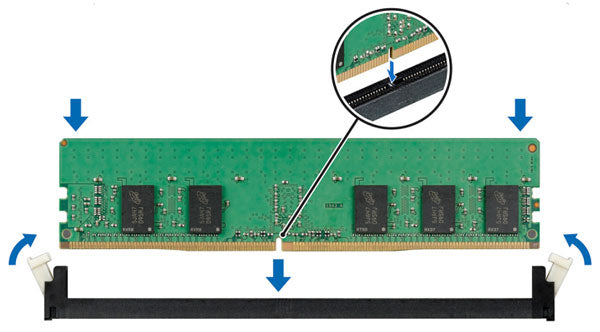
Memory
The PowerEdge T640 support memory speeds of 1866 MT/s, 2133 MT/s, 2400 MT/s, 2666 MT/s, and 2933 MT/s depending on the DIMM types installed and configured. All memory on all processors and channels run at the same speed and voltage. By default, highest common supported speed between the CPUs and DIMMs. The operating speed of the memory is also determined by the maximum speed supported by the processor, the speed settings in the BIOS, and the operating voltage of the system.
NVDIMM Not Supported on the Following:
- 16 + 8 drive configuration
- 32 drive configuration
When installing the NVDIMM the battery will be placed under the ODD slot on the front of the server.
PCIe Configuration
| PCIe Slot | Processor Connection | Height | Length | Link Width | Slot Width |
|---|---|---|---|---|---|
| 0 (Gen3) (dedicated for PERC or HBA) | Processor 1 | Standard Height | Full Length | x8 | x8 |
| 1 (Gen3) | Processor 1 | Standard Height | Full Length | ||
| 2 (Gen3) | Processor 1 | Standard Height | Full Length | x16 | x16 |
| 3 (Gen3) | Processor 1 | Standard Height | Full Length | x4 | x8 |
| 4 (Gen3) | Processor 2 | Standard Height | Full Length | x16 | x16 |
| 5 (Gen3) | Processor 2 | Standard Height | Full Length | x8 | x8 |
| 6 (Gen3) | Processor 2 | Standard Height | Full Length | x4 | x8 |
| 7 (Gen3) | Processor 2 | Standard Height | Full Length | x16 | x16 |
| 8 (Gen3) | Processor 2 | Standard Height | Full Length | x16 | x16 |
| To use PCIe slots 4-8, both the processors must be installed. | |||||
| The expansion-card slots are not hot-swappable | |||||
Networking
The system comes with 2 x 10GbE LOM (1GbE/10GbE).
You have up to 8 PCIe slots to install more adapters. For a detailed list of what cards can be supported in what PCIe slot. We recommend reading the manual below.
Storage Controllers
The T640 internally has a dedicated PERC controller slot. The Tower server can also support Dual PERCs on the 32 Drive Chassis.
| Performance level | Controller and description |
|---|---|
| Entry | S140-Software RAID SATA |
| Value | H330 internal, 12Gb SAS HBA-external |
| Value performance | H730P |
| Premium performance | H740 and H840 |

GPU
GPUs need the GPU Air Shroud installed along with the normal Air Shroud to support 4x 300W (DW) passive or 8x 150W (SW).
GPU Rules and Requirements:
- GPU-ready chassis in a rack form factor
- Must have 2 CPUs installed
- GPUs must be identical
- Fan Cage Assembly installed
- Rear external fans installed
- Power Interposer board
- 3.5 inch x18 HDD chassis is not supported
- Dual PERC (x32) configuration is not supported
You have the option to install the NVLINK to connect two DW GPUs together. Please read the manual for more details about connecting GPUs and about which GPU Holders might need to be installed.

Boot Options
 BOSS
BOSS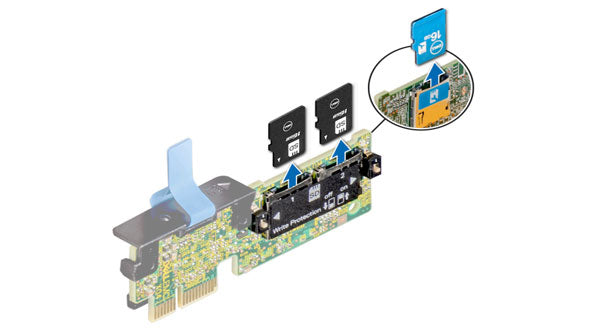 IDSDM
IDSDMPower & Dimensions
Power Supply Units (PSU)
The Dell EMC PowerEdge T640 system supports up to two AC or DC redundant power supply units (PSUs). If two PSUs are used, they must be of the same maximum output power.
When two identical PSUs are installed, power supply redundancy (1+1 – with redundancy or 2+0 – without redundancy) is configured in the system BIOS.
Your system supports the hot spare feature that significantly reduces the power overhead associated with power supply unit (PSU) redundancy.
- 495W hot-plug; Platinum
- 750W hot-plug; Platinum
- 1100W hot-plug; Platinum
- 1100W DC, Gold
- 1600W hot-plug; Platinum
- 2000W hot-plug; Platinum
- 2400W hot-plug; Platinum
- 750W hot-plug; Titanium
Dimensions
- Width: 217.7mm
- Height: 443.23mm
- Depth: 707.8mm
- Weight:
- 16x 2.5" 38.42 kg/84.70 lb
- 32x 2.5" 42.36 kg/93.38 lb
- 18x 3.5" 49.65 kg/109.45 lb
Current Configuration
(List below serves as quick links to each section)